
Listal
Your music, all in one place.
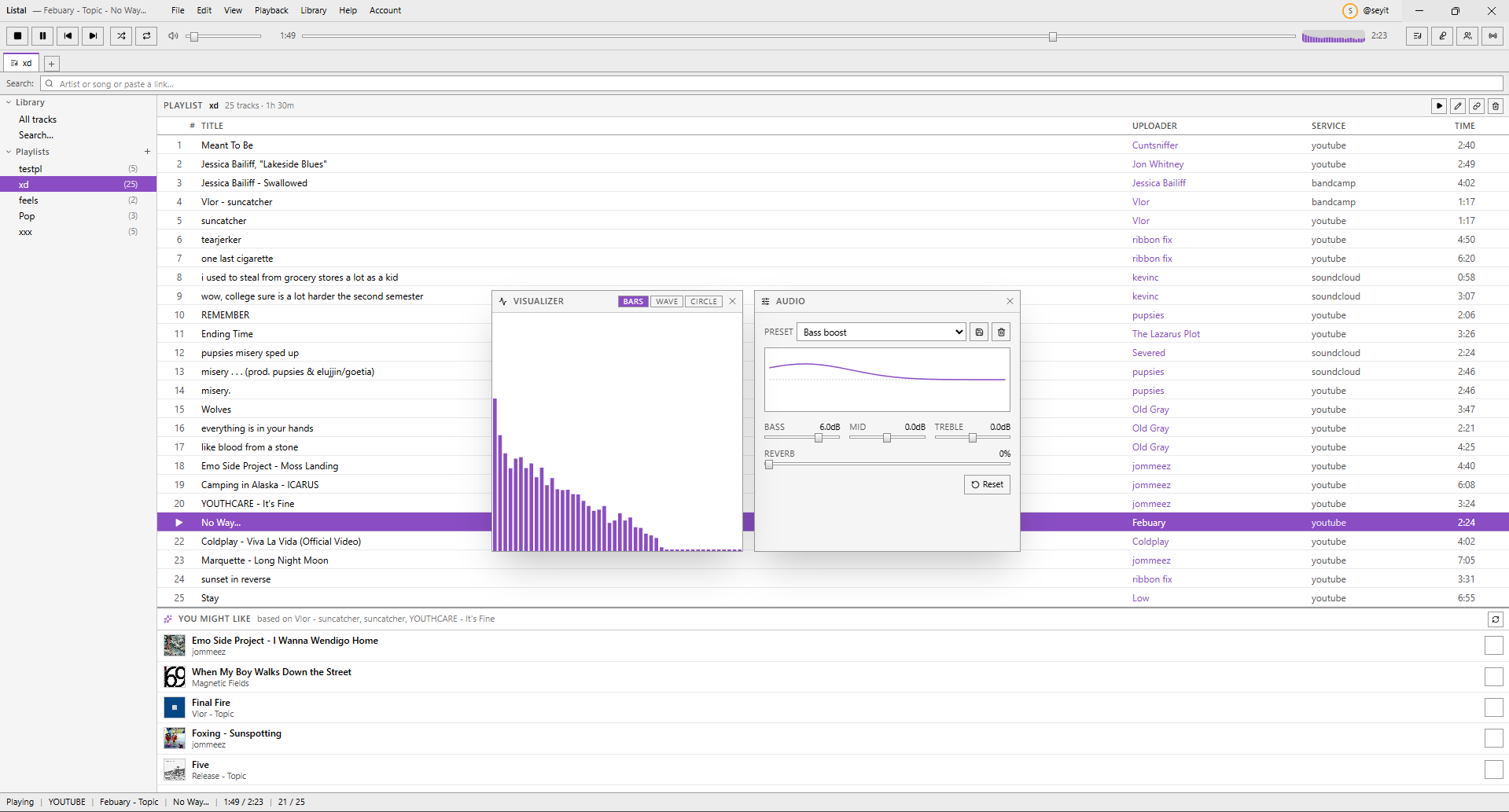
Windows music player that pulls YouTube, SoundCloud, and Bandcamp into one library. Make playlists that mix any source — including shared playlists that you and your friends edit together live. Listen along in sync. Shows what you're playing on Discord.
Listal
 Hover to zoom
| # | Feature | Detail |
|---|---|---|
| 1 | Unified library | Everything in one list, one search bar, one playlist. Throw a YouTube video, a SoundCloud upload, and a Bandcamp release into the same playlist and hit play. |
| 2 | Paste to import | Drop a track or playlist URL into the search bar. Listal grabs the metadata, caches the artwork, and adds it. |
| 3 | Shared playlists | Pick friends, spin up a shared playlist, and everyone adds tracks live. Additions and removals sync to every member in real time — no reload, no share link. |
| 4 | Listen along with friends | Add a friend by @username, hit the Radio button on their row, and hear what they're playing in sync. Their next track loads automatically. |
| 5 | Discord Rich Presence | Title, artist, duration, and time left. Includes a "Listen on YouTube" button that jumps straight to the source. |
| 6 | Windows media keys | Play, pause, and skip work from your keyboard even when Listal isn't focused. Windows shows the popup with title and artwork. |
| 7 | Best-available audio | Grabs the highest bitrate Opus stream the service exposes, so YouTube tracks don't sound flat. |
YouTube
Search and paste
Search the catalog or paste a video, playlist, or channel URL.
SoundCloud
Paste to import
Tracks and playlists from soundcloud.com go straight into your library.
Bandcamp
Paste to import
Album pages, single tracks, and artist discographies.
Spotify
Metadata bridge
Paste a Spotify playlist. Listal finds a YouTube source for each track.
Paste or search
Drop a URL or search across services. Listal handles the metadata.
Build a playlist
Add tracks to any playlist. Mix services freely: a playlist can be YouTube, SoundCloud, and Bandcamp side by side.
Just play
Audio streams direct from the source at the best bitrate. No downloads, no accounts required (except for Spotify metadata).
Try it
Grab the installer from Releases, or clone the repo and run npm run dev.